
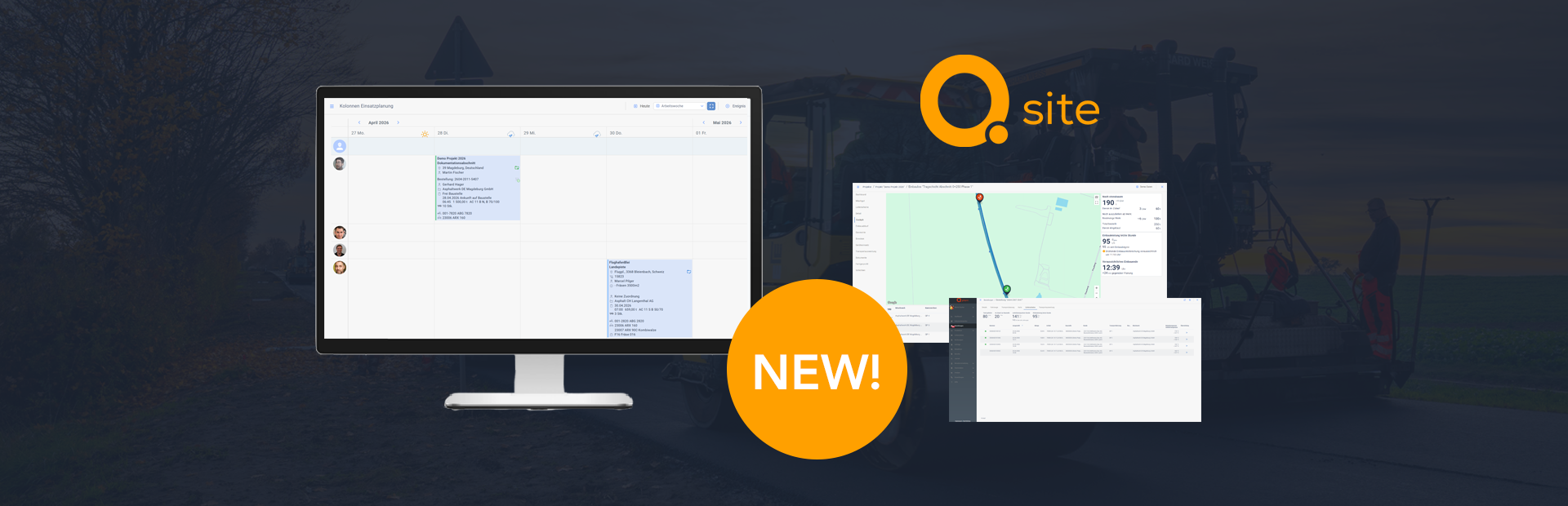
With the new release, planning on the construction site becomes even more flexible, transparent, and efficient. Here are the most important new features.
EPD Data Available Directly in the System
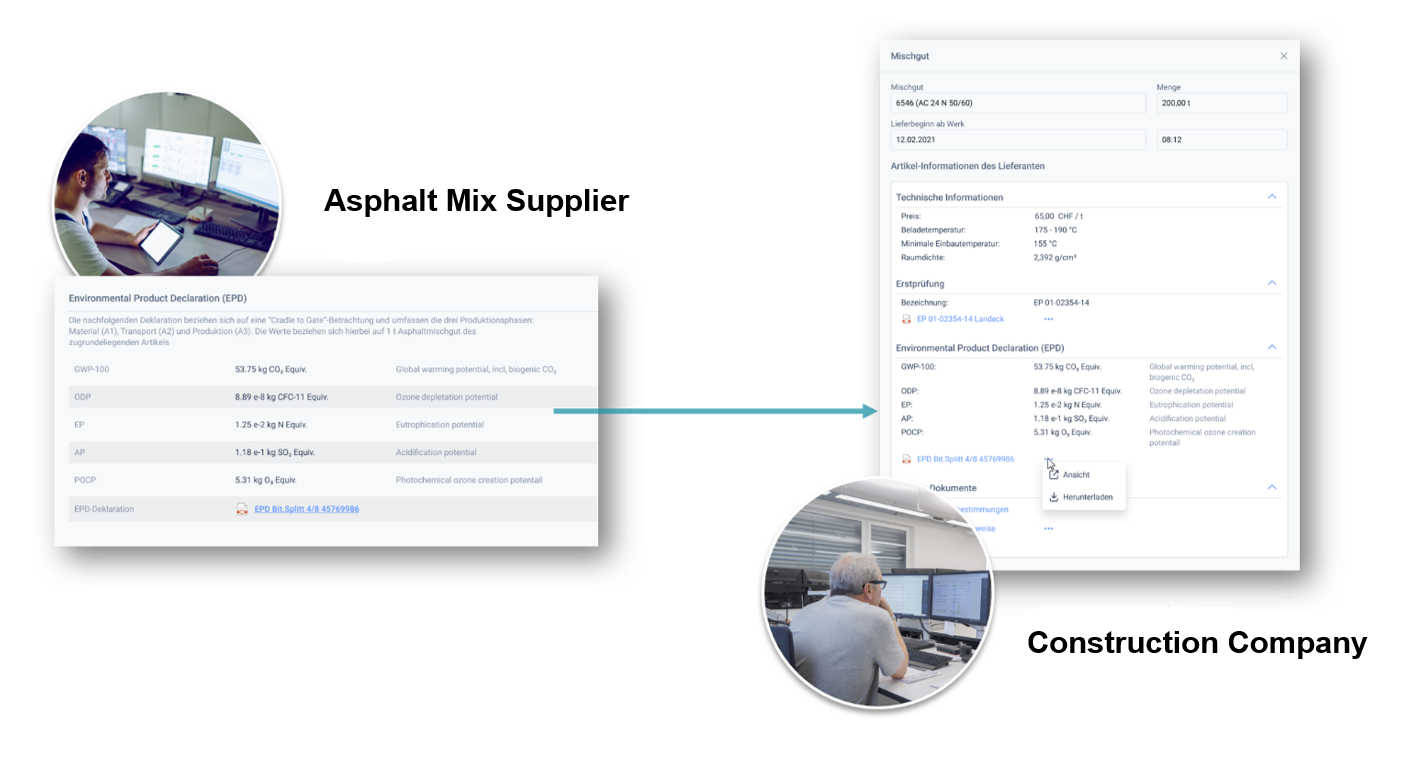
Material suppliers can now publish Environmental Product Declarations (EPDs) for their asphalt mixes directly within the system and provide them digitally. Construction companies receive this information as an integral part of item details.
In addition to full EPD documents, emission values are presented in a structured format. This ensures that all relevant environmental data is always up to date, complete, and ready for immediate use without additional effort.
Within Q Site, EPD data is accessible during item selection. This simplifies documentation, increases transparency for clients, and supports informed evaluation of environmental impacts within construction projects
Attachments Sent Directly with Orders
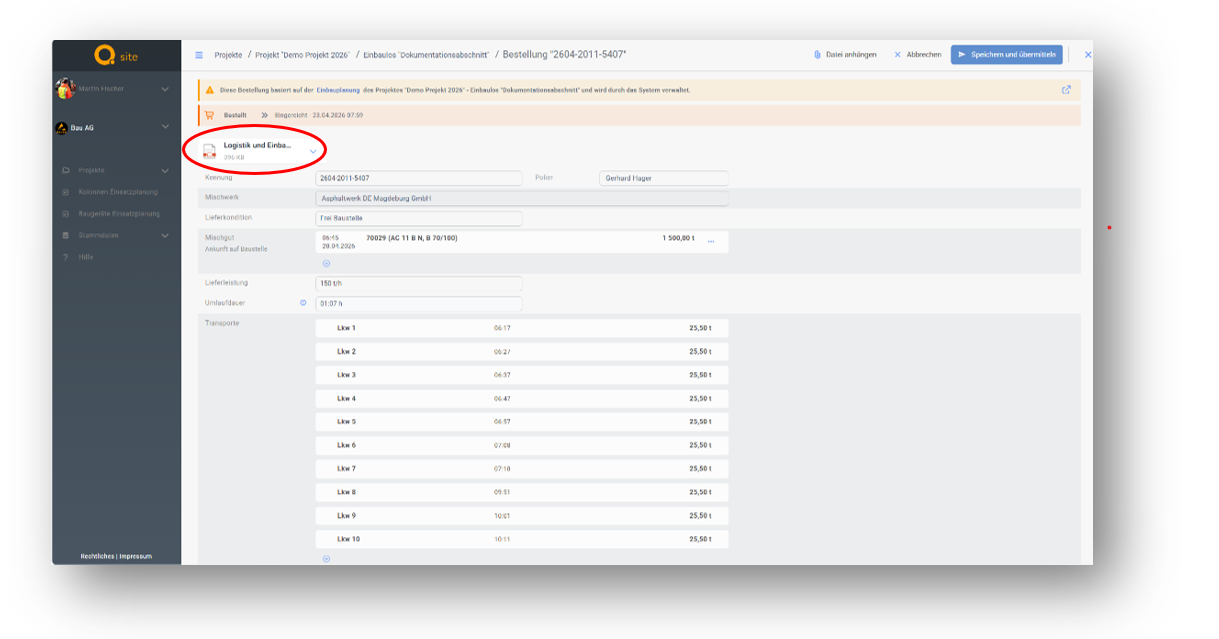
Site personnel can now attach relevant documents directly to orders and send them to suppliers together with the order.
Attachments such as PDFs or images can be easily added, removed, or imported from project documentation via drag and drop. This significantly streamlines and accelerates daily workflows.
Automatic transmission via API or email ensures that all information reaches the supplier in a complete and timely manner. This reduces follow-up inquiries and enables a smoother ordering process.
Clear and Consistent Management of Outbound Material Flows
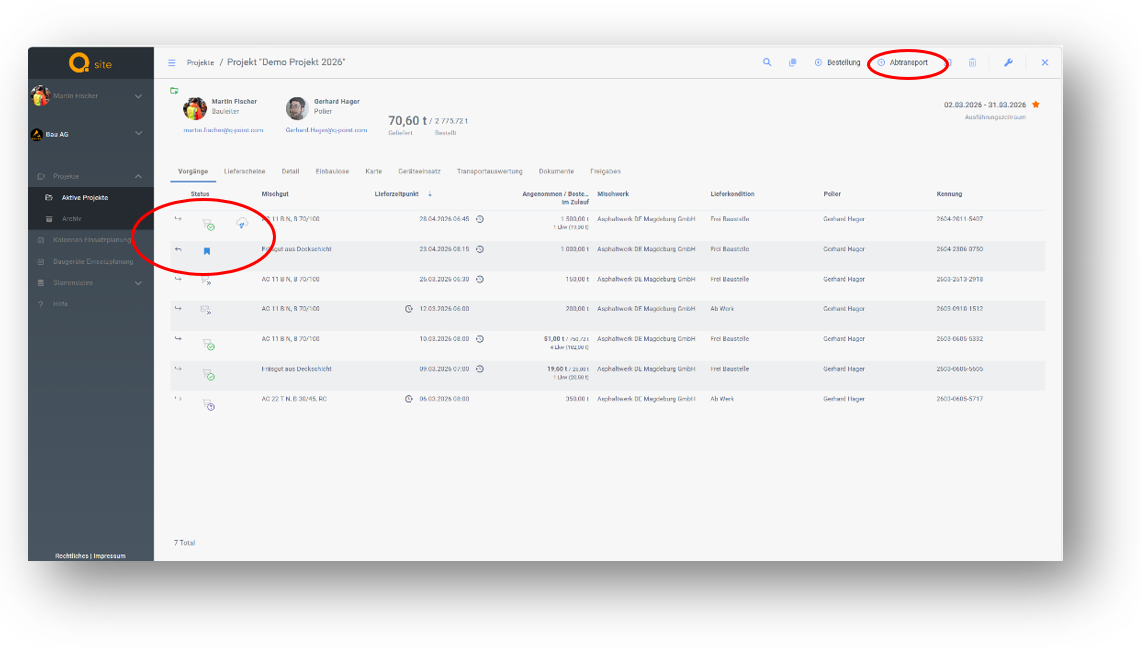
In addition to standard deliveries to construction sites, outbound transports such as reclaimed asphalt or excavation material can now be managed directly within the system.
Users can clearly distinguish between delivery and return transport. Outbound flows are displayed separately and labeled clearly, making each process immediately identifiable.
Managing both material flows within a single system improves transparency and significantly simplifies planning and tracking.
More Flexible Crew Scheduling
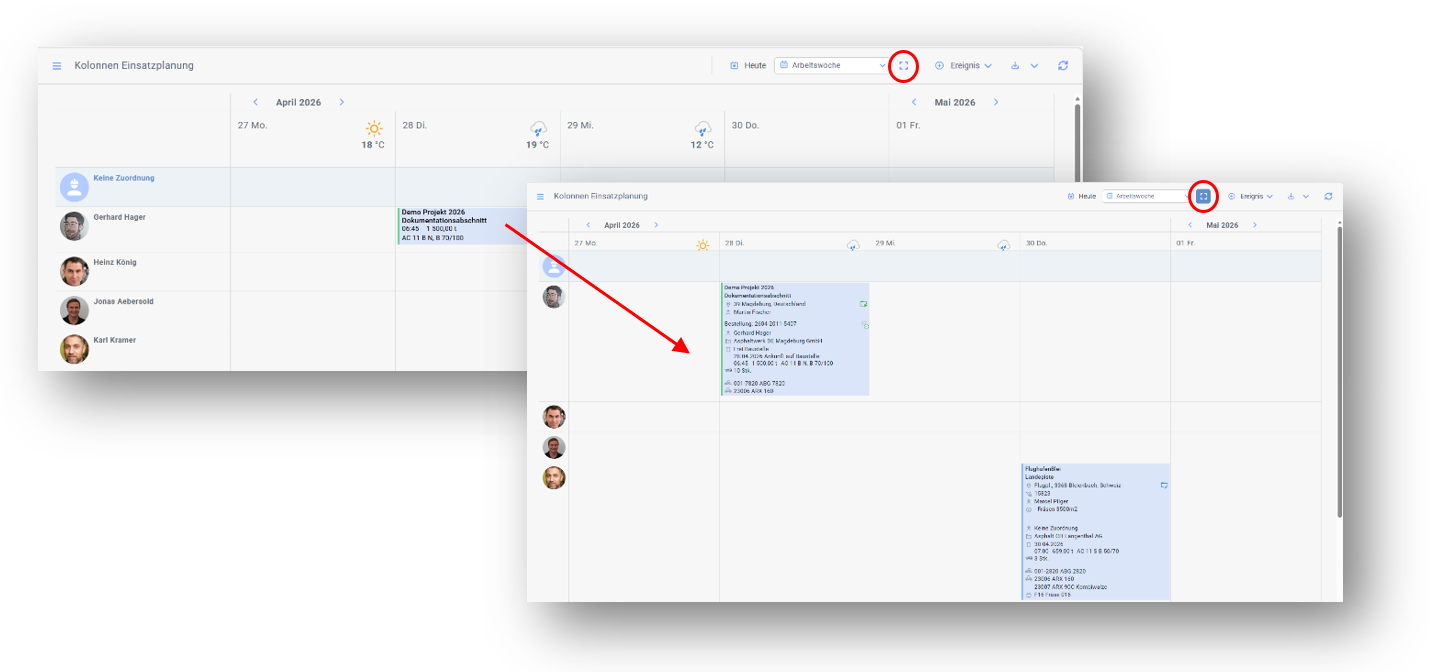
Crew scheduling can now be toggled between a compact and an extended view.
While the compact view provides a quick overview, the extended view displays additional details such as vehicles, equipment, and orders directly within the calendar. This allows for more efficient planning without switching between multiple views.
Default Values for Driving and Rest Times
Typical values for driving and rest times can now be centrally defined in the settings.
These values are automatically applied to new delivery schedules, reducing manual effort and ensuring greater consistency. Legal requirements and internal policies are considered early in the planning process.
The revised settings interface is clearer and simplifies the management of transport parameters.
Accurate Allocation of Delivery Quantities
Orders can now include multiple line items with the same asphalt mix. This enables realistic mapping of more complex ordering scenarios.
Delivery quantities are automatically assigned to the correct line items. Users maintain full visibility of ordered and delivered quantities per position, reducing errors in allocation and reporting.
Enhanced Information Exchange Between Plant and Site
The exchange of information between asphalt plant and construction site has been expanded to ensure full transparency during paving operations.
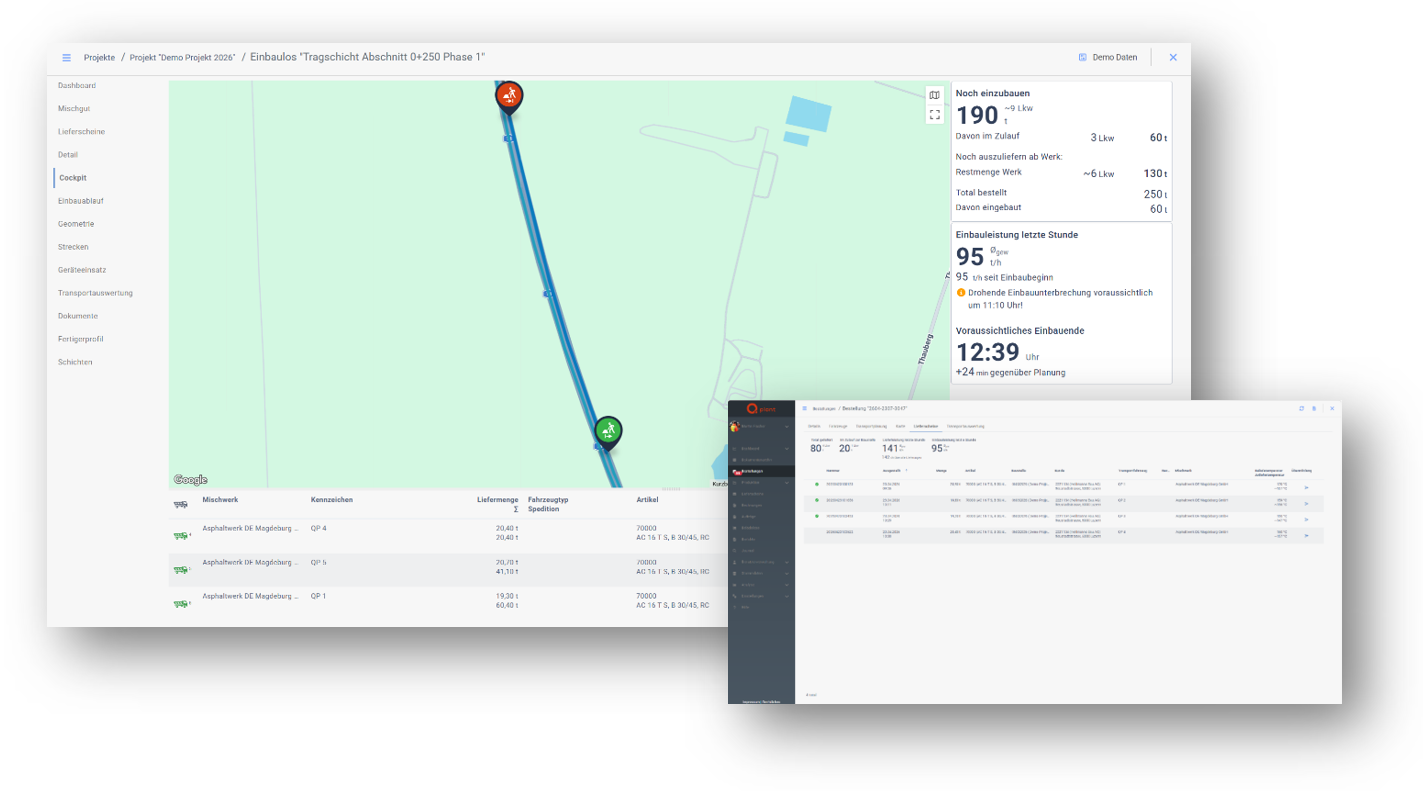
Delivery note status changes such as acceptance or rejection are automatically reported back to the plant and displayed there, including images and comments, as proof of delivery. This provides plant operators with immediate and traceable insight into delivery status and quality.
Truck unloading events are now transmitted in real time. Combined with the display of current material inflow, paving performance can be continuously assessed. This enables proactive dispatching, reduces uncertainty, and supports more efficient production control.
Notes on Vehicle Deployment
Internal notes can now be recorded for transport operations.
Important details such as special vehicle requirements or additional equipment can be documented and displayed within the relevant operational context. This improves internal coordination and reduces the need for additional communication.
Deployment Planning as Excel Export
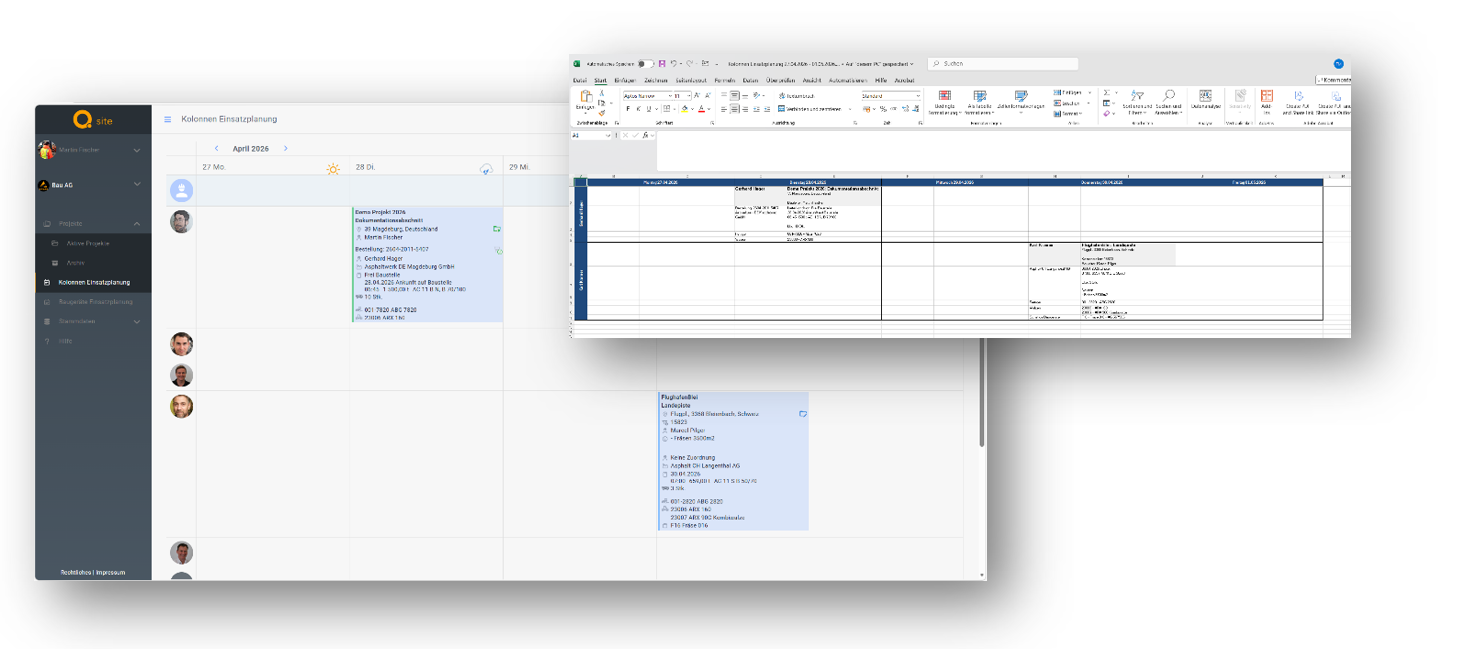
Deployment plans can now be exported as Excel files and easily shared.
All relevant information such as schedules, vehicles, orders, and associated plants is presented in a clear format. This allows stakeholders without access to Q Site to be included in planning.
The export is ideal for email distribution or printed use on site and supports clear and efficient communication.
Efficient Closure and Archiving of Construction Sites
Completed construction sites can now be managed collectively and closed or archived in a single step.
Multiple projects can be selected simultaneously and moved to the desired status, reducing effort especially for recurring tasks such as periodic archiving.
The system ensures that only valid status changes are performed. Sites with future orders cannot be closed, preserving data consistency.
Targeted Rescheduling of Operations
Operations in the crew scheduling calendar can now be moved to a different date using a dedicated move function.
This is particularly useful when the target date lies outside the currently visible calendar range. Users select the operation and define the new date and crew within a dialog.
This enhances planning flexibility and complements the existing drag and drop functionality.
Early Detection of Equipment Conflicts
When planning construction equipment, the system now indicates whether a device is already scheduled for the selected period.
An integrated calendar provides a clear overview of existing assignments, allowing availability to be assessed instantly. This prevents double bookings and increases planning reliability.
More Realistic Truck Status Representation
Entladevorgänge können jetzt auch ohne verfügbare Geoposition gespeichert werden.
In solchen Fällen lässt sich die Position manuell auf der Karte festlegen. Hinweise im System unterstützen dabei, die Ursache zu erkennen und korrekt zu reagieren.
So bleibt die Dokumentation auch bei schlechtem GPS-Empfang vollständig und der Arbeitsablauf wird nicht unterbrochen.
Recording Unloading Without GPS Data
Unloading events can now be recorded even when no geolocation is available.
In such cases, the position can be set manually on the map. System prompts assist in identifying the cause and responding appropriately.
This ensures complete documentation even with poor GPS reception and prevents workflow interruptions.
Optimized Break Planning for Transport
The calculation of driving breaks has been improved and aligned more closely with real-world conditions.
This results in more realistic schedules and often enables more efficient cycles with fewer vehicles required. Costs are reduced and manual adjustments minimized.
Paving Speed Visible in Planning
In addition to paving output, paving speed can now be recorded and displayed.
This information is visible directly in planning and within the paving concept, providing a more comprehensive understanding of the planned paving process.
Notes for Paving Profiles
Notes can now be added and edited directly within paving profiles.
Important information can be centrally documented and accessed in context. This improves team communication and enhances traceability.
Define Minimum Delivery Temperature
A minimum delivery temperature for asphalt mix can now be defined within paving planning.
If the calculated unloading temperature falls below this threshold, the delivery is flagged accordingly. Site personnel are prompted to verify and document the actual temperature.
This supports quality assurance and increases transparency in compliance with specifications.
Restricted Project Visibility
Project visibility can now be limited to relevant participants.
While project managers retain a full overview, foremen and site personnel only see projects relevant to them. This reduces complexity and improves navigation in daily operations.
Points of Interest Available to Drivers
Selected points of interest for construction sites are now automatically transmitted to drivers and displayed in the TruckBuddy app.
The information is provided alongside the delivery note and helps drivers navigate on site more efficiently and execute operations effectively.
This improves information availability on site and contributes to smoother transport processes.